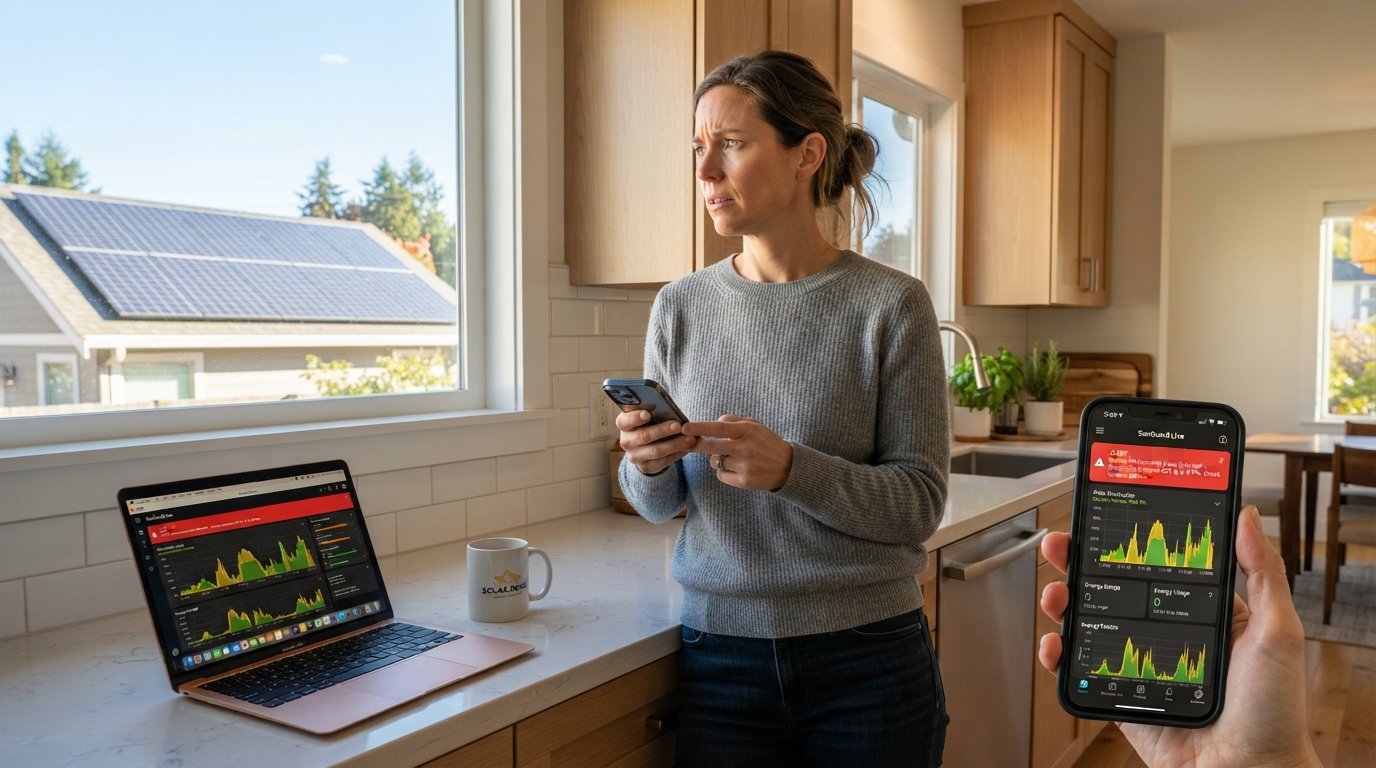
Solar System Monitoring Alerts Explained for New Owners
Solar system monitoring alerts explained for new owners: learn what alerts mean, how to respond, and how to protect your solar investment from costly downtime.

By Mason Carter
Learn more about Solar Panel Installation and Repair for guides, costs, and what to expect.
Compare Solar Panel Installation and Repair Pros Near You

Enter your ZIP code to compare top-rated local professionals and request free quotes.
Your solar panels are quietly generating electricity on your roof, but how do you know when something goes wrong? Most new solar owners assume their system will simply work, day after day, without any need for oversight. That assumption often holds true, but when it does not, the financial consequences can add up quickly. A single unnoticed inverter fault can cost you hundreds of dollars in lost production over just a few weeks. That is why understanding solar system monitoring alerts is one of the most valuable skills you can develop as a new owner.
This guide breaks down what monitoring alerts are, why they matter, how to read them, and what actions to take when one appears on your dashboard or phone. Whether you just signed your installation contract or your panels have been running for a few months, this information will help you protect your investment and maximize your energy savings.
What Solar Monitoring Alerts Actually Are
Every modern solar installation includes some form of monitoring hardware and software. The inverter, which converts the direct current (DC) electricity your panels produce into the alternating current (AC) your home uses, typically communicates with a cloud platform. That platform tracks production in real time, compares it against expected output, and flags anything that looks abnormal.
A monitoring alert is simply a notification generated by that system when a metric falls outside a defined range. It might be a sudden drop in production, a communication failure between the inverter and the network, a ground fault, an arc fault, or a temperature threshold being exceeded. Some alerts are informational, while others demand immediate attention.
The key distinction new owners need to understand is that not all alerts are emergencies. Some resolve on their own (a brief cloud passing over, a temporary grid outage), while others signal a hardware problem that requires a technician. Learning to tell the difference saves you from unnecessary panic and helps you respond appropriately when something serious occurs.
Why Monitoring Alerts Matter for Your Investment
Solar panels are remarkably durable, often carrying warranties of 25 years or more. However, the components around them, inverters, wiring, connectors, and monitoring gateways, are more vulnerable to wear and environmental stress. When one of those components fails, your system may still appear to be on, but production can drop to zero or a fraction of normal.
Without monitoring alerts, you might not notice a problem for weeks or even months. Utility bills creep up, and you assume it is just seasonal variation. By the time you investigate, you have lost significant savings and potentially voided part of your warranty by failing to address a known issue promptly.
Monitoring alerts give you early warning. They allow you to contact your installer or a service provider while the problem is still small. In many cases, a quick remote diagnostic or a simple reset resolves the issue at no cost. Ignoring alerts, on the other hand, often leads to expensive repairs and extended downtime.
For homeowners who financed their systems, monitoring alerts also protect the financial model. Your loan payments or lease payments continue regardless of whether the system is producing. Every day of lost production is a day you are paying for electricity you are not generating.
The Most Common Types of Solar Monitoring Alerts
Solar monitoring platforms vary by manufacturer, but most alerts fall into a handful of categories. Understanding these categories helps you prioritize your response.
- Production alerts: These flag when energy generation drops below expected levels for a given time of day, weather condition, or season. They may indicate shading, soiling, a failing panel, or an inverter issue.
- Communication alerts: The monitoring gateway has lost connection to the internet or to the inverter. This does not always mean production has stopped, but it does mean you are flying blind until the connection is restored.
- Fault alerts: These include ground faults, arc faults, DC offset, and other electrical safety issues. They often cause the inverter to shut down automatically and require professional attention.
- Temperature alerts: Inverters and other components can overheat. High temperatures reduce efficiency and can damage equipment if not addressed.
- Grid alerts: The utility grid has gone down, or voltage and frequency are outside acceptable ranges. Your system may shut down temporarily as a safety measure.
Each alert type comes with a severity level in most dashboards. Critical alerts usually trigger immediate notifications via email, text, or push notification. Informational alerts may simply appear in a log. Take a few minutes when your system is first installed to explore your monitoring app and understand how it categorizes and displays these alerts.
How to Read Your Monitoring Dashboard
Your monitoring dashboard is the control center for your solar system. It typically shows current production, historical production, environmental impact (like pounds of carbon offset), and a log of any alerts or events. The layout varies by brand, but the core information is similar across platforms.
Start by familiarizing yourself with the main production graph. This shows how much electricity your system is generating over time, usually in 15-minute, hourly, or daily increments. A healthy system will show a smooth bell curve on a sunny day, rising in the morning, peaking around midday, and tapering off in the evening. Clouds create dips, and shade creates sharp drops.
Next, find the alerts or notifications section. This may be a bell icon, a separate tab, or a list on the main screen. Click into each alert to read the details. Most platforms provide a description, a timestamp, and sometimes a recommended action. If you see an alert you do not understand, do not ignore it. Look up the code in your inverter manual or contact your installer for clarification.
Finally, set up your notification preferences. You can usually choose how you want to be alerted (email, text, push) and what severity level triggers a notification. For most homeowners, enabling critical and fault alerts via text message is a good balance between staying informed and avoiding notification fatigue.
Step-by-Step: What to Do When an Alert Appears
When an alert pops up on your phone or dashboard, follow a simple process to determine whether you need to act immediately or can monitor the situation.
- Read the alert carefully. Note the type, severity, and timestamp. Is it a one-time event or an ongoing condition?
- Check your production graph. Is your system still generating power? A communication alert with normal production is less urgent than a fault alert with zero output.
- Look for obvious causes. Did a storm just pass through? Is there snow or debris on the panels? Has the breaker tripped? Sometimes the fix is simple.
- Consult your manual or app help section. Many common alerts have straightforward troubleshooting steps, such as resetting the inverter or reconnecting to Wi-Fi.
- Contact your installer or a qualified solar professional if the alert persists, if production has stopped, or if you are unsure about safety. Do not attempt electrical repairs yourself.
Documenting each alert and your response is also wise. If a pattern emerges, you will have a record to share with your installer or manufacturer when discussing warranty claims or service visits.
Setting Up Alerts for the First Time
If your installer has not already configured your monitoring system, you will need to set it up yourself. The process typically involves downloading the manufacturer's app, creating an account, and connecting to your inverter or gateway. Your installer should provide login credentials or a setup code.
Once you are logged in, take these steps to ensure you receive the alerts that matter:
- Verify that your contact information (email and phone number) is correct.
- Enable push notifications or text alerts for critical and fault conditions.
- Set a weekly or monthly summary email so you can review overall performance even when no alerts occur.
- Adjust thresholds if the platform allows it, though default settings are usually appropriate for most homeowners.
It is also helpful to share access with a trusted family member or your installer. If you are traveling or unavailable, someone else can respond to alerts and prevent prolonged downtime. Many monitoring platforms support multiple user accounts with different permission levels.
Common False Alarms and How to Avoid Them
Not every alert indicates a real problem. False alarms are common, especially in the first few weeks after installation as the system learns your home's energy patterns and environmental conditions. For example, a production alert might trigger on a heavily overcast day when output is naturally low. A communication alert might occur because your home internet went down, not because the solar system failed.
To reduce false alarms, make sure your monitoring system has a stable internet connection. A wired Ethernet connection is more reliable than Wi-Fi, though Wi-Fi is usually sufficient if the signal is strong. You can also adjust alert sensitivity if your platform allows it, though be cautious about disabling alerts entirely.
Keep in mind that some alerts are seasonal. Snow cover, fallen leaves, and even long periods of haze can trigger production alerts that resolve on their own. If you understand your system's normal seasonal patterns, you will be better equipped to judge whether an alert is truly abnormal.
How Monitoring Alerts Connect to Maintenance and Warranty
Most solar warranties require that you maintain your system and address issues promptly. If you ignore monitoring alerts and a small problem becomes a major failure, the manufacturer may argue that you failed to mitigate the damage. On the other hand, if you respond to alerts and document your actions, you strengthen your position if a warranty claim becomes necessary.
Monitoring alerts also help you schedule preventive maintenance. For example, if you see a gradual decline in production over several months, it might be time to clean your panels or have a professional inspect the wiring. Catching these trends early is far cheaper than replacing failed components.
For homeowners who want to go further, pairing monitoring alerts with an energy optimization strategy can unlock additional savings. AI Solar Energy Optimization Explained: Boost Your Savings walks through how intelligent systems use your production and consumption data to shift loads, charge batteries at optimal times, and reduce reliance on expensive grid power. When your monitoring alerts are working properly, they feed the data that makes these optimizations possible.
When to Call a Professional
Some alerts are clearly beyond the scope of homeowner troubleshooting. If you see a ground fault, arc fault, or any alert that mentions electrical safety, shut down the system if you can do so safely and contact a licensed solar professional immediately. Do not reset the inverter repeatedly in hopes that the fault will clear.
Similarly, if your system has been underperforming for more than a few days and you cannot identify an obvious cause like snow or shade, it is time to call for service. A qualified technician can run diagnostics, check connections, and determine whether a component needs replacement.
If you are not sure who to call, an independent educational resource like NewSolarQuotes can help you understand your options and connect with reputable service providers. Many monitoring platforms also have built-in support channels or can refer you to authorized service partners.
Building a Long-Term Monitoring Habit
The first few months of solar ownership are the most important for establishing good monitoring habits. Check your dashboard at least once a week, even if you have not received an alert. Look at the production graph, compare it to previous weeks, and note any changes. This routine takes only a few minutes but can save you thousands of dollars over the life of your system.
As you become more comfortable, you can explore advanced features like consumption monitoring, which shows how much energy your home is using versus how much your panels are producing. This data helps you decide whether to add battery storage, shift appliance usage, or adjust your energy plan.
Remember that monitoring is not about constant vigilance. It is about having the right information at the right time so you can make smart decisions. With a solid understanding of solar system monitoring alerts explained for new owners, you are well equipped to protect your investment and enjoy the full benefits of clean energy for decades to come.